Vantage SEO writes your titles, meta, schema, sitemap and llms.txt straight into static HTML when you publish. The SEO work is done before a visitor arrives.
Open source, MITBuilt for InstaticNo ads in the free version
Vantage SEO — how it works
100
Lighthouse SEO score on published pages
0
SEO tags built in the visitor's browser
20+
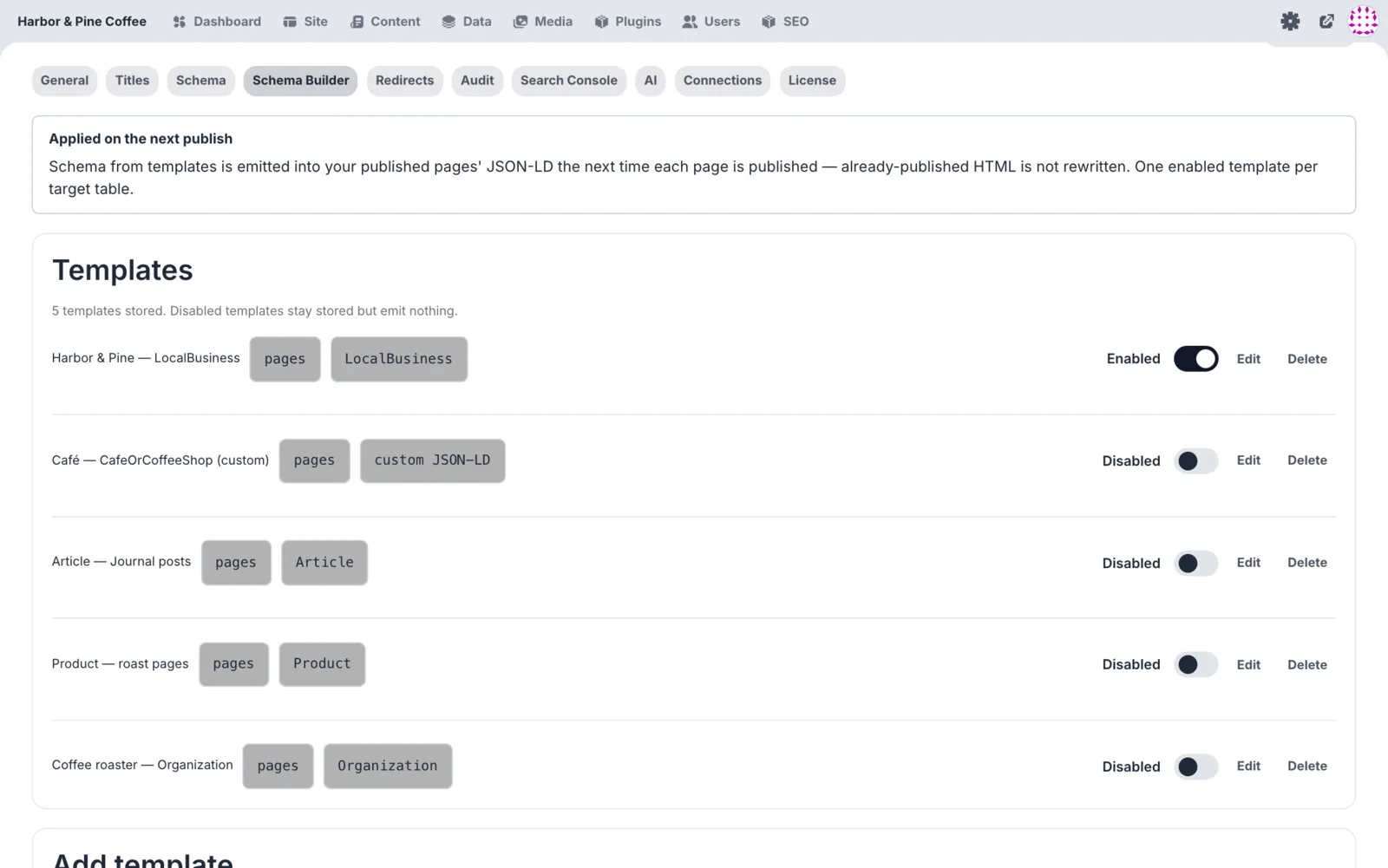
schema types in the builder
20
MCP tools for your AI agent
2,750
automated tests, all passing
Most SEO plugins run on every page view. Vantage runs once.
Runtime plugins add their work to every visit. Vantage does its work when you press publish. What reaches the visitor is plain HTML with every tag already in place.
1
You write the page
Single origin vs blends: which suits you? — Harbor & Pine
57 / 60
What changes in the cup when you pick a single origin, and when a blend is the smarter buy.
91 / 160
Focus keyword: single origin coffeeGood
Templates fill every page. You override only what matters, and see the search snippet as you type.
2
Publish bakes it into HTML
<!--seo:start--><title>Single origin vs blends: which suits you? — Harbor & Pine</title><metaname="description"content="What changes in…"><linkrel="canonical"href="https://harborandpine.coffee/…"><metaproperty="og:title"content="Single origin vs…"><metaname="twitter:card"content="summary_large_image"><scripttype="application/ld+json">{"@graph": [WebSite, WebPage, BreadcrumbList, Article]}</script><!--seo:end-->
Baked once, at publishsitemap.xml rebuiltIndexNow pinged
Tags are written once, into the file itself. Publish twice and you get the same output.
3
Search and AI read it
harborandpine.coffee › journal
Single origin vs blends: which suits you? — Harbor & Pine
What changes in the cup when you pick a single origin, and when a blend is the smarter buy.
200 GET /sitemap.xml200 GET /llms.txt200 GET /journal/single-origin-vs-blends/
Crawlers get complete tags on the first request. AI tools get an llms.txt map of your site.
Example site: Harbor & Pine Coffee, a demo roastery used for all screenshots on this page.
The whole SEO workflow, in one admin.
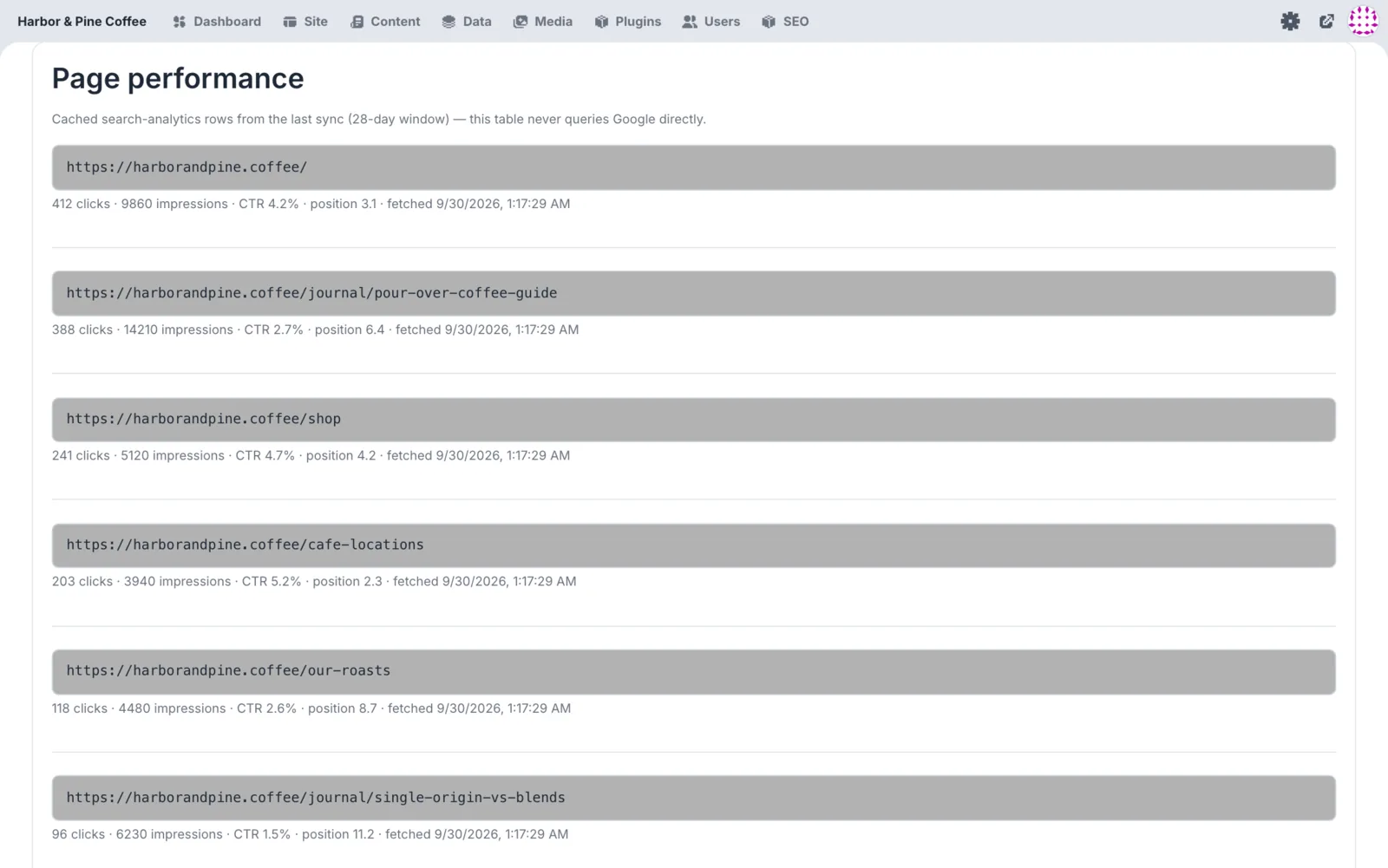
Real screens from the plugin, running on a demo site. The free version covers everything a page needs to be found. Pro adds the tools for people who do SEO as a job.
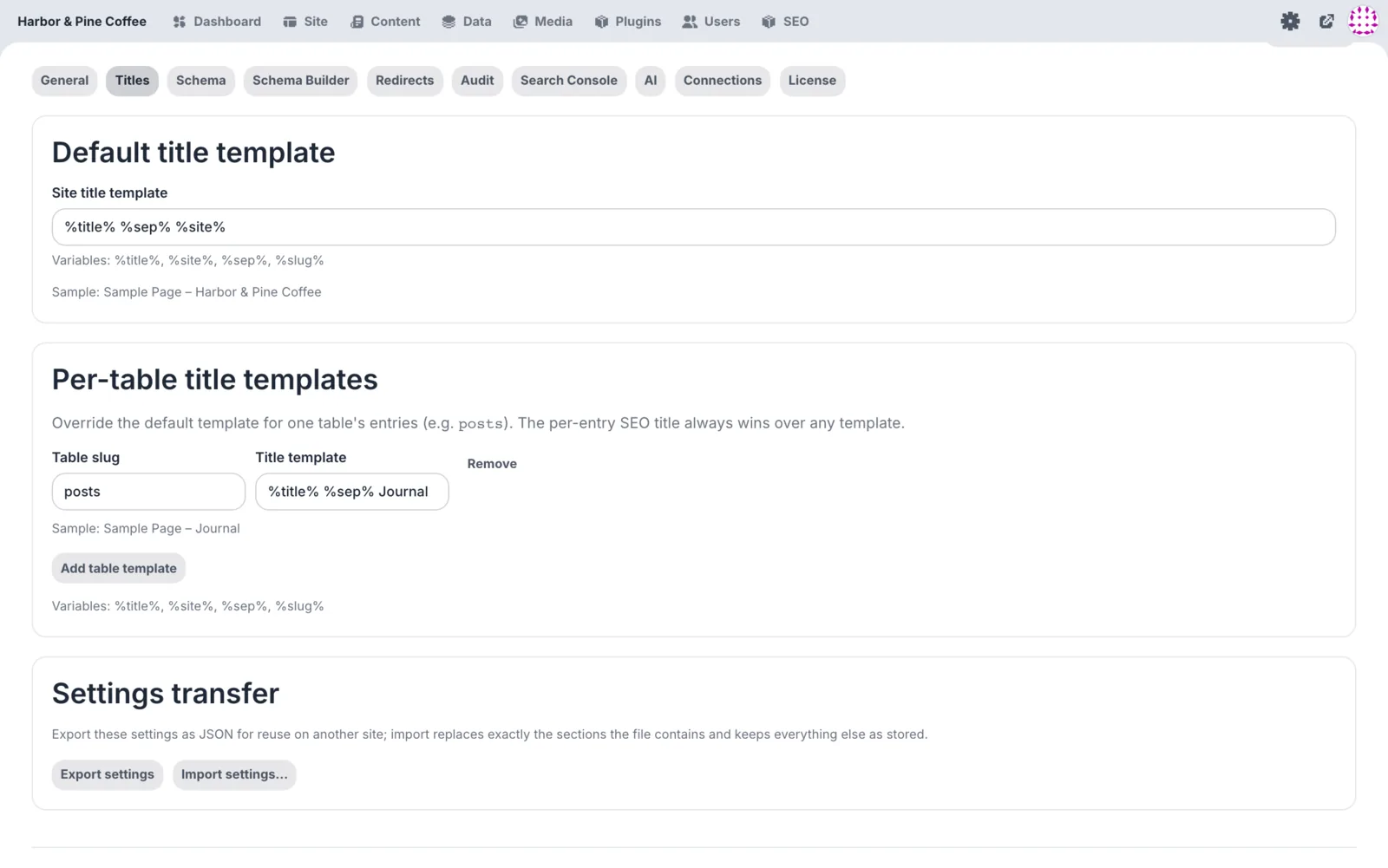
harborandpine.coffee/admin · SEO › Titles & meta
Template: %title% %sep% %site%
Every page gets complete tags, even ones you never edit
Set it once. Templates cover every page and post type. Override one page when it needs a better title.
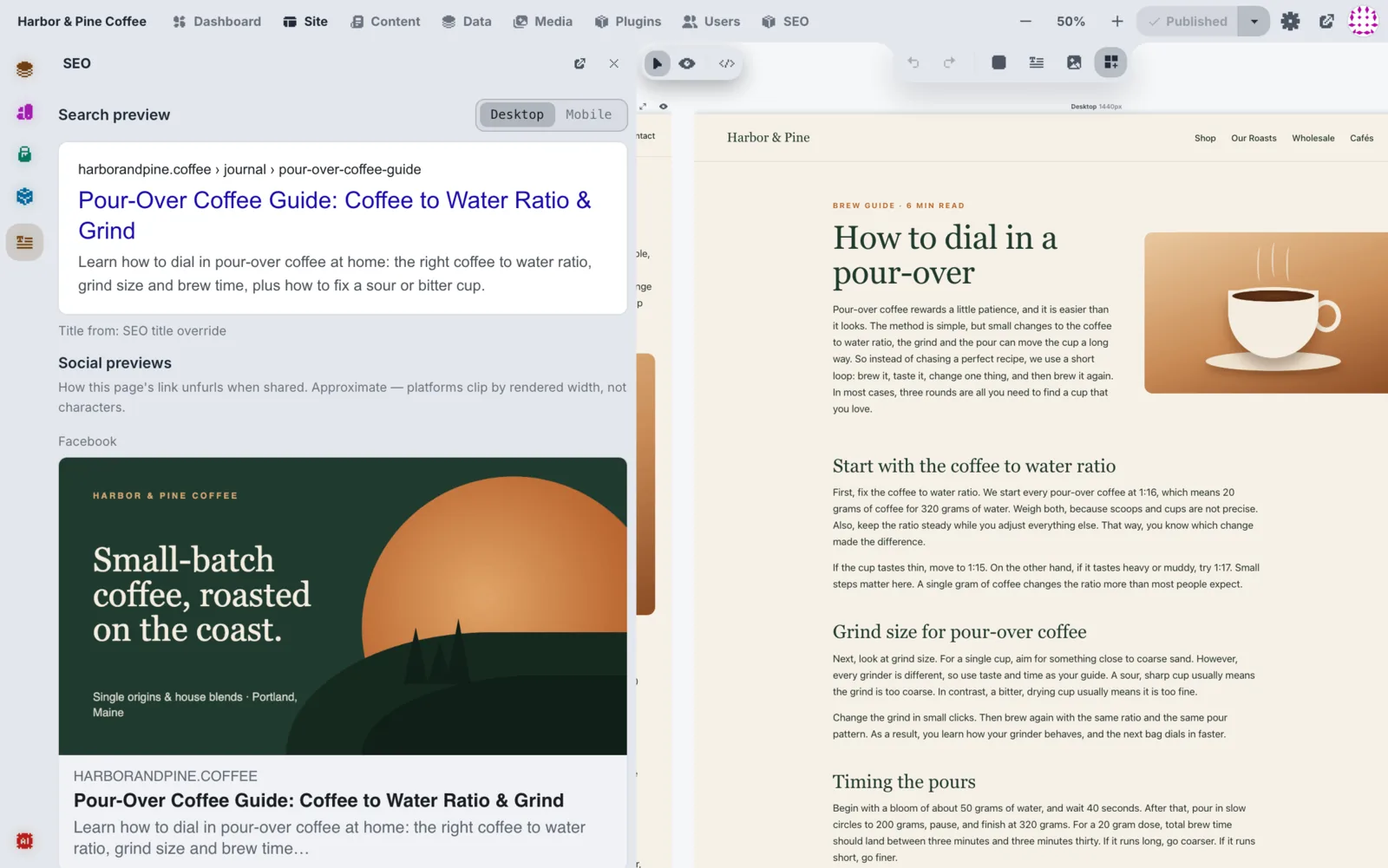
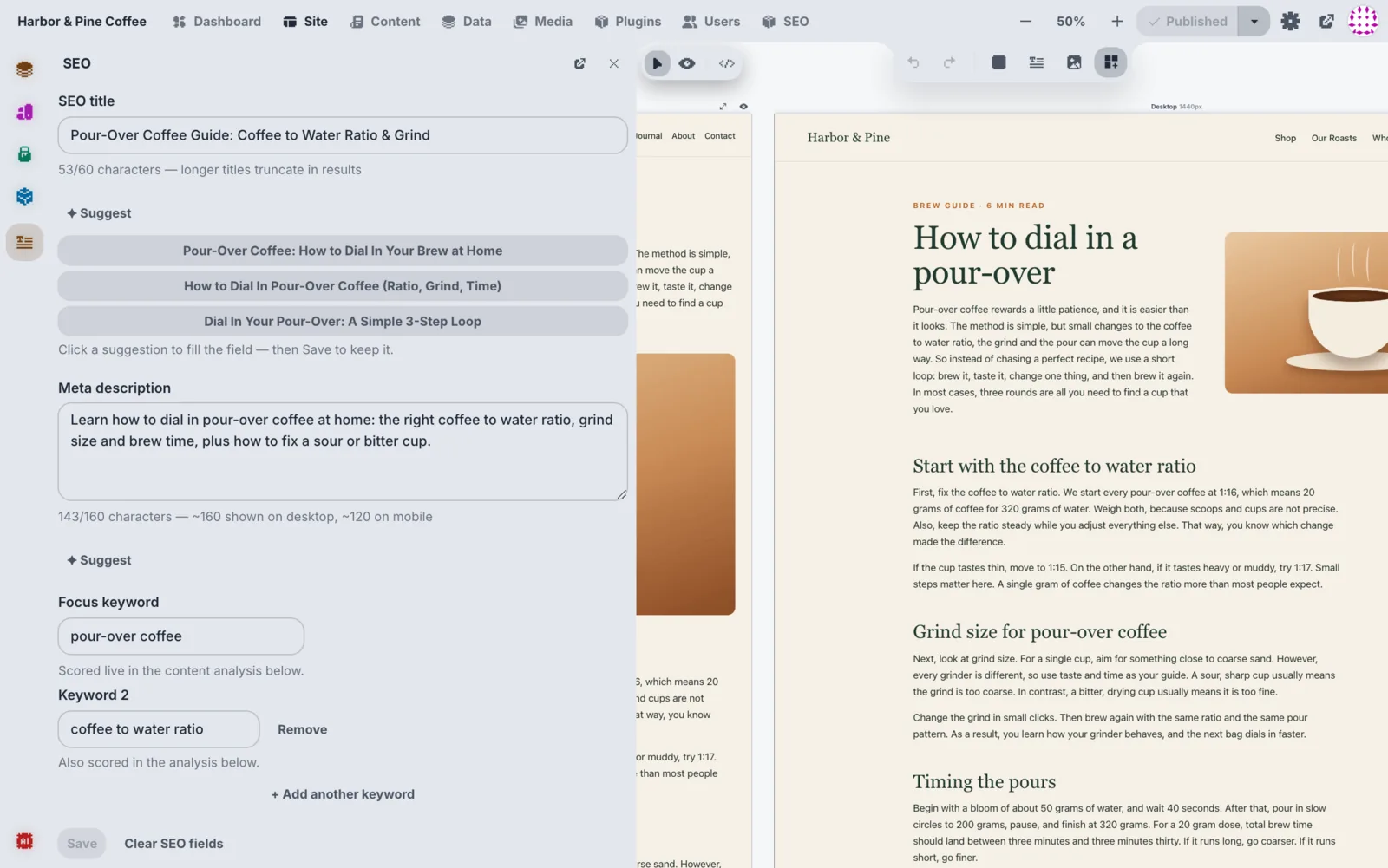
harborandpine.coffee/admin · Site › How to dial in a pour-over
Live preview while you type
Facebook and X previews in Pro
See it before Google does. Length meters show when a title or description will be cut. Free includes one focus keyword; Pro checks as many as you like.
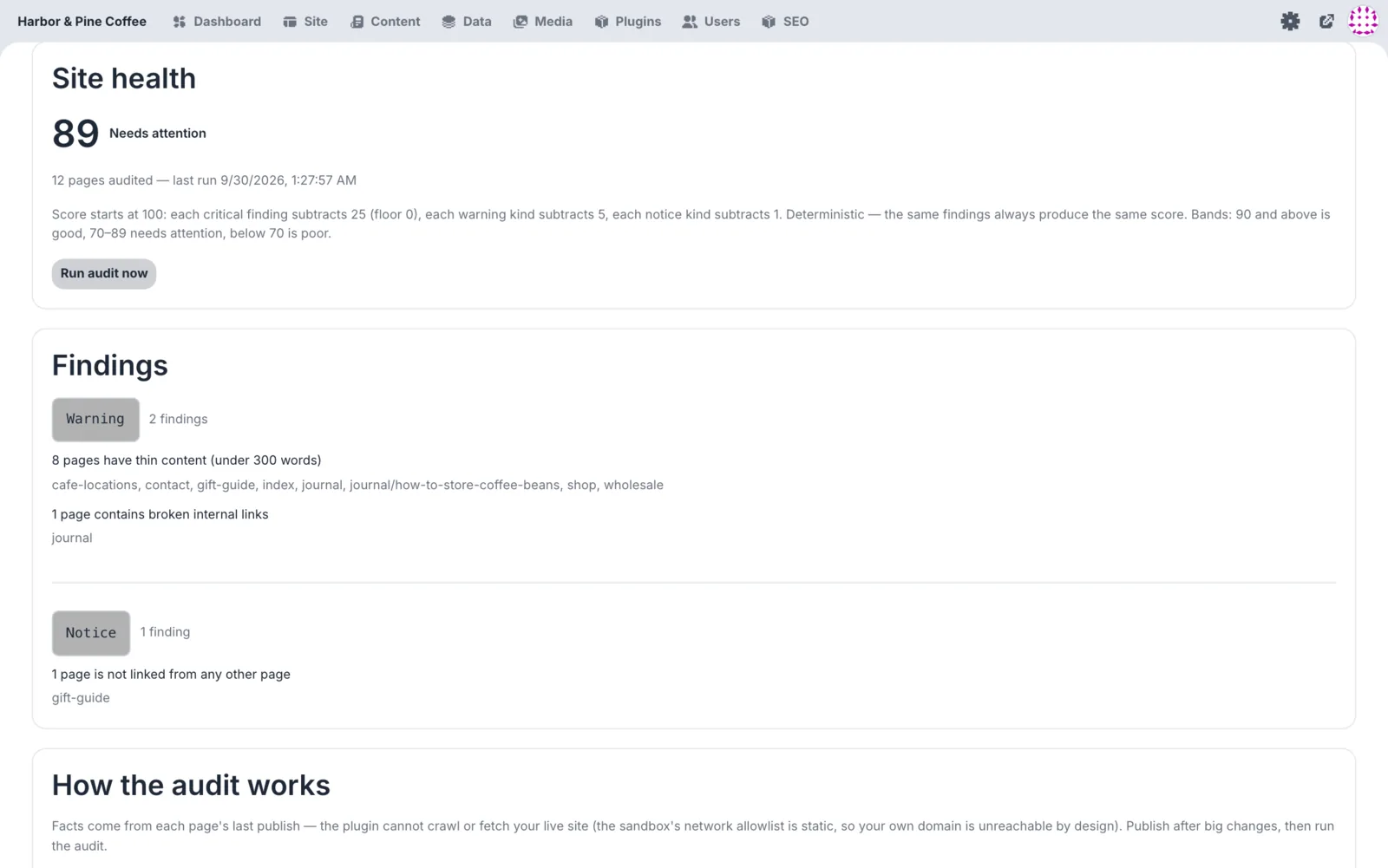
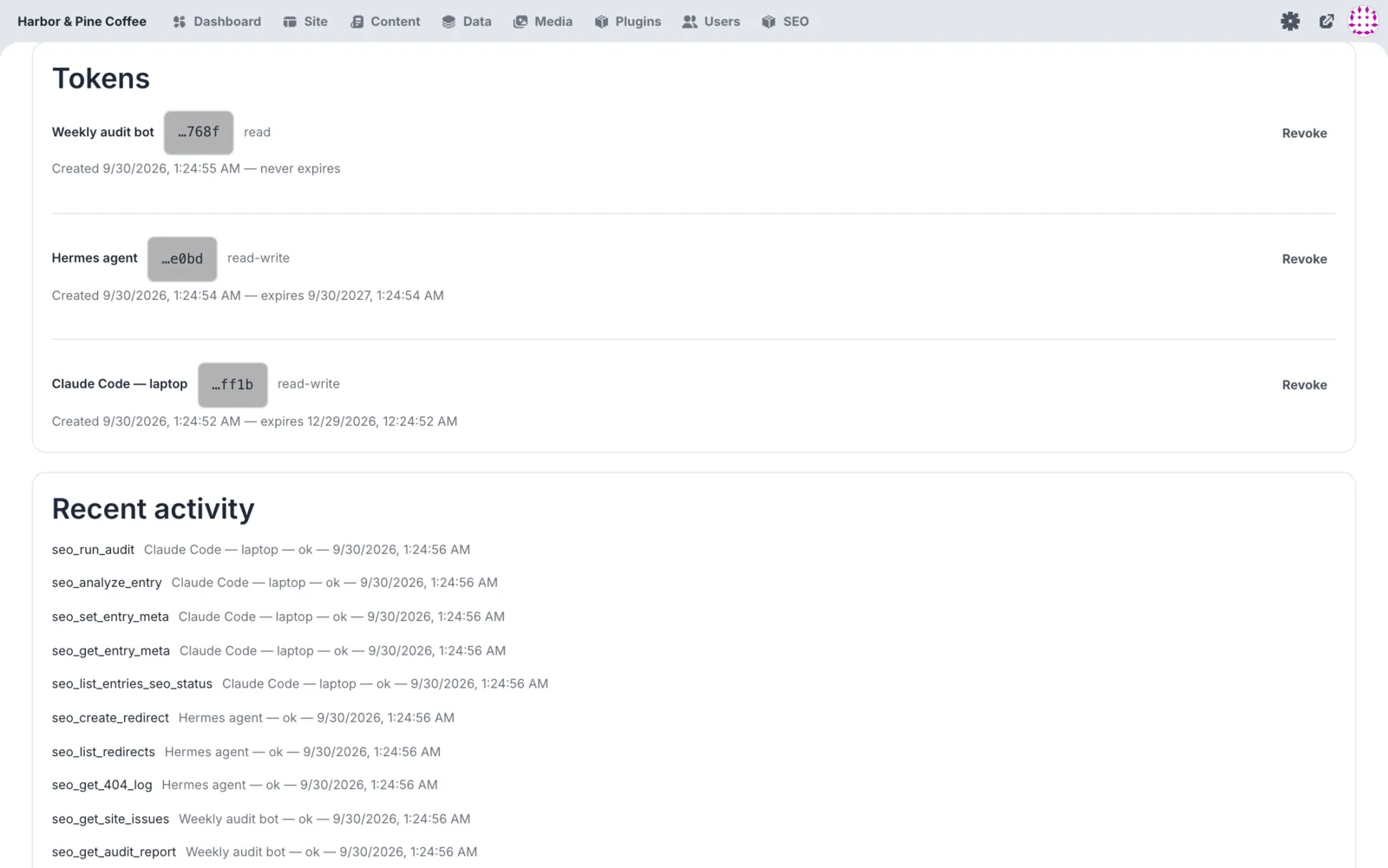
Vantage Pro runs its own MCP server. Claude Code, Hermes or any MCP client can do what the SEO admin does: read and write meta, run audits, manage redirects and schema, and rebuild the sitemap.
claude — harborandpine.coffee
you › Add meta descriptions to every page that is missing one.agent › Checking the site.seo_list_entries_seo_status12 pages missingseo_bulk_set_meta12 pages updatedseo_regenerate_sitemapsitemap.xml rebuiltagent › Done. 12 descriptions written, each under 155 characters. Run a site audit next?you › Yes.seo_run_auditjob startedyou ›
harborandpine.coffee/admin · SEO › Connections
20MCP tools
Scoped tokensRead-only or read and write
Audit-loggedEvery call is recorded
Streamable HTTPStandard MCP, no extra server
seo_list_entries_seo_status
seo_get_entry_meta
seo_set_entry_meta
seo_bulk_set_meta
seo_analyze_entry
seo_get_site_issues
seo_run_audit
seo_get_audit_report
seo_get_job_status
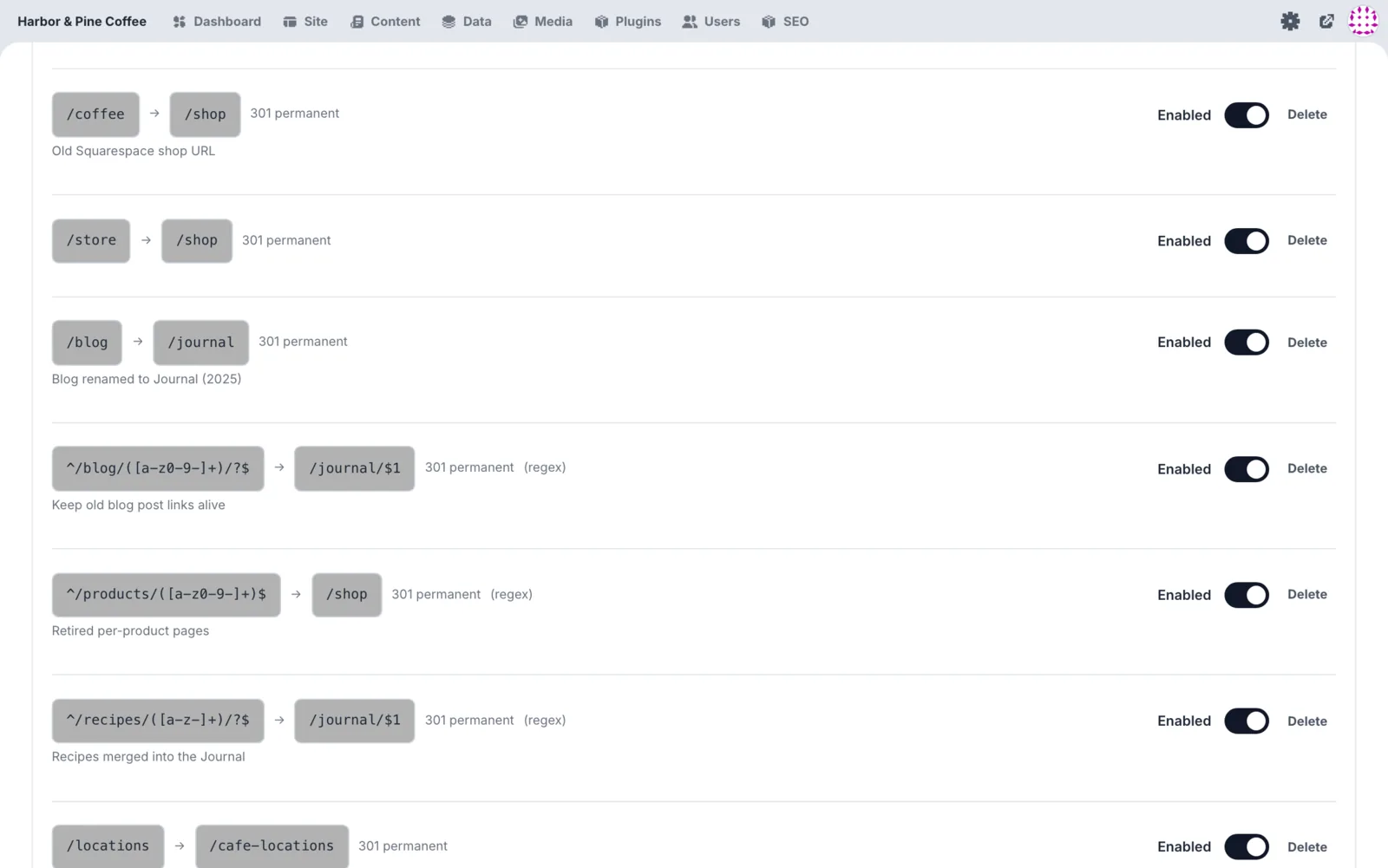
seo_list_redirects
seo_get_404_log
seo_create_redirect
seo_update_redirect
seo_delete_redirect
seo_list_schema_templates
seo_set_schema_template
seo_delete_schema_template
seo_set_entry_schema
seo_regenerate_sitemap
seo_get_gsc_summary
The real tool list. Point your agent at /mcp with a token and it sees all of them. How to connect →
Free covers the basics. Pro covers the work.
If a site is broken or invisible without it, it is in the free version. Monitoring, automation, integrations and agent access are Pro.
Free
MIT open source
Everything a page needs to be found, for as many sites as you like.